
Reelfolio vs After Effects: do you need a timeline to show your work?
ComparisonsUpdated AUG 27, 20267 min
After Effects is the deepest motion tool ever made. It is also the reason a lot of great design work never becomes a video. The reel stays on the todo list because making it means keyframes, precomps, and a render queue. Reelfolio exists for exactly that gap. Here is the comparison, including the cases where After Effects is worth every hour.

How we compared them
After Effects can do anything, which makes feature count a useless yardstick. The better question is what a portfolio reel actually needs, and what each route costs to get there.
- 01
Time to a finished reel
The same reel both ways, measured from raw screenshots to an exported file.
- 02
Creative ceiling
After Effects has effectively no ceiling. The honest question is how much of it a showreel needs.
- 03
What it takes to learn
Hours spent learning the tool are hours not spent on the work you're showing.
- 04
Where it renders
Your machine tied up for an hour, or a cloud render while you keep working.
- 05
Cost over a few years
What each costs per year, on the plan you would really be on.
Reelfolio vs After Effects at a glance
| Reelfolio | After Effects | |
|---|---|---|
| What it is | Showreel maker: drop media in, pick a template, export | Professional compositing and motion graphics suite |
| Best for | Portfolio reels, case studies, product showcases | Bespoke motion graphics, VFX, broadcast work |
| Learning curve | None, pick a template and go | Months to competence, years to mastery |
| Time to a polished reel | Under a minute | Hours to days, faster with bought templates |
| Runs in the browser | Nothing to install | Desktop app with heavy hardware demands |
| Creative ceiling | Bounded by 200+ templates and their settings | Effectively unlimited |
| Where it renders | In the cloud, your laptop stays free | On your machine, and long renders tie it up |
| Max export quality | 4K, every aspect ratio | Anything, given the hardware and time |
| Pricing model | $12/month, or $9/month billed yearly | Subscription, about $22.99/month on an annual plan |
| Cost after three years | $324 on the yearly plan | Roughly $800 and counting |
The real question: is the video the work, or about the work?
This is the cleanest way to decide. Motion designers open After Effects because the video is the deliverable. A title sequence, an explainer, an animated identity. Every keyframe is a creative decision they want to own.
Most designers are in a different situation. The work already exists. The app, the website, the brand, the case study. The video is just the best way to show it. Learning a compositing suite to present finished work is like learning bookbinding to hand in a report. Turning screenshots into video is its own, much smaller problem.
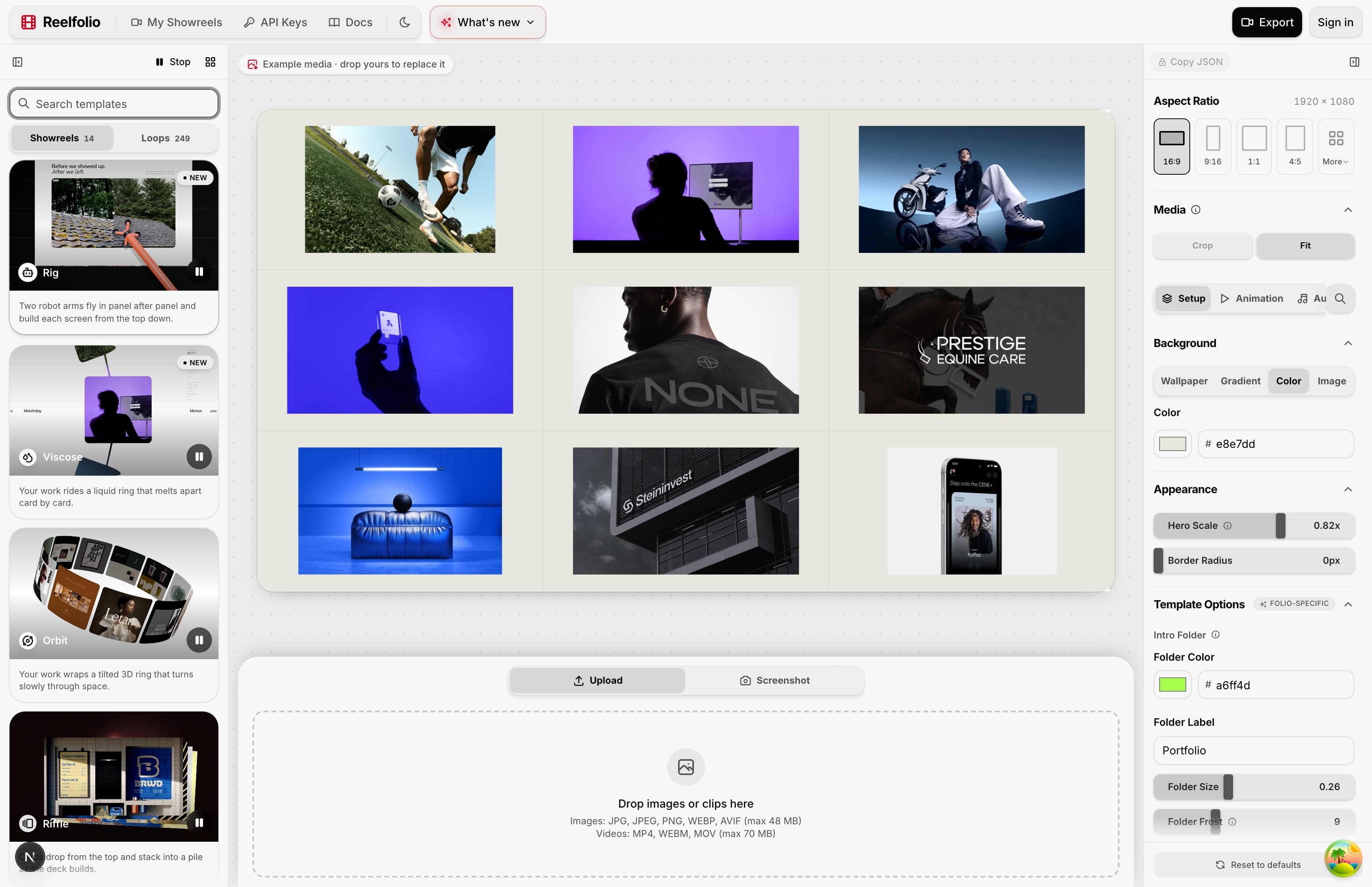
Reelfolio
No timeline anywhere in the process
Open the editor in a browser tab, with no install and no signup needed to try it, and drop in your screenshots or screen recordings. Pick one of 200+ templates built for showing design work and the animation is already done: timing, easing, transitions, layout.
Tweak the settings you care about, then export at every ratio the platforms ask for, up to 4K. The render happens in the cloud, so your machine stays free the whole time.
After Effects
An editor, and everything that comes with one
The subscription comes first, about $22.99 a month on an annual plan and more month to month. Then the timeline, keyframes, easing curves and precomps, or a marketplace template plus enough of the tool to edit it without breaking it.
After that you compose the reel by hand: import the media, build the transitions, time everything. Rendering happens on your own machine, which occupies it, and every aspect ratio you need is another render.
Where each one wins, and what it costs
Reelfolio
- A finished reel in under a minute, with animation designed by people who do this all day
- Zero learning curve, the hard decisions are already made in the template
- Cloud rendering up to 4K, so your laptop stays usable
- One project exports to 16:9, 9:16, 1:1 and 4:5 without rebuilding anything
- Free to build and preview in the browser, you pay at export
- Not a motion design tool: there's no timeline and no keyframing
- If a template doesn't fit your vision, you pick another rather than build your own
- Made for presenting design work, not for VFX, character animation or editing footage
$9/mo
Billed yearly at $108, or $12 month to month. No watermark, ever.
After Effects
- Effectively unlimited: compositing, VFX, 3D, expressions, character animation
- The industry standard, with the largest ecosystem of plugins, templates and tutorials anywhere
- Total authorship over every frame, which matters when motion is your craft
- Fits professional pipelines and the rest of Creative Cloud
- A steep learning curve, the graph editor and expressions take real study
- Heavy hardware demands, previews and renders strain mid-range laptops
- Even simple portfolio reels take hours once you count setup, timing and rendering
- $34.99 a month if you pay monthly, and marketplace templates cost extra
$22.99/mo
Single app, annual. About $276 a year, forever
Some motion designers use both. After Effects for client work, where the animation is the product, and Reelfolio for their own portfolio reel. After a week of keyframing for clients, nobody wants to keyframe their own showreel. The cobbler's children get shoes this way. If After Effects is more tool than you want but you still like keyframes, Jitter sits in between, and it gets its own comparison.
Who each one is for
Pick Reelfolio if
- You want your portfolio, case study, or product in motion this week
- You've never opened After Effects and don't want the learning project
- You need the same reel in multiple aspect ratios for socials, decks, and your site
- You would rather pay $108 a year than about $276 for another Adobe line item
Pick After Effects if
- Motion graphics or VFX is your profession or your ambition
- The animation is the deliverable, not a wrapper around existing work
- You need compositing, tracking, expressions, or 3D
- You already live inside Creative Cloud
If these two aren't the only names on your list, the roundup of tools for a design portfolio video covers Jitter, Canva and CapCut alongside them.
“Reelfolio is an essential part of our studio workflow. It helps us create polished videos quickly, without the usual editing overhead.”

4080 Studio
4080studio.com
“Reelfolio makes it effortless to turn our thousands of screenshots into clean, engaging X videos. I used to do this manually with Screenstudio, but Reelfolio is dramatically faster and simpler.”

Rob Austin
@ausrobdev
Learn it, or skip it
After Effects is worth learning if motion is going to be part of what you sell. It's the deepest tool here and nothing else touches it once you know it.
But if you only ever open it to assemble your own screenshots, you're paying a weekend and a subscription for a thing a template does in a minute. That was true before Reelfolio existed and it'll be true after.
Frequently asked questions
Read more
See all posts
ComparisonsUpdated AUG 27, 20266 min
Reelfolio vs Canva: which makes a better portfolio video?
Canva does everything. Reelfolio does one thing: turn your design work into a polished animated reel. A fair comparison with a feature table, pricing, and a clear verdict.

ComparisonsUpdated AUG 27, 20266 min
Reelfolio vs CapCut: the right way to put design work on TikTok
CapCut is built for creators cutting footage. Reelfolio is built for designers showing work. Comparison table, the 2026 price rise, and an honest verdict inside.
ToolsUpdated AUG 27, 20264 min
The best tools for animated mockups (the apps I actually use)
Four tools I use to turn flat screenshots into product videos: 3D device scenes, framed shots, custom motion, and a full showreel.
Pick a template. Watch it run.
Preview the motion, then send your screenshots to Reelfolio and ship the reel in about a minute.