

Reelfolio vs Canva: which makes a better portfolio video?
ComparisonsUpdated AUG 27, 20266 min
Canva is the everything app of design. Presentations, posts, docs, whiteboards, and, somewhere in there, a video editor. Reelfolio is the opposite. One job, done extremely well. If the job in front of you is a video of your design work, the generalist and the specialist give you very different weeks.

How we compared them
Canva is a generalist and Reelfolio is a specialist, so counting features would be a rigged fight. These five questions are about fit instead, and they cut both ways.
- 01
Fit for the job
Canva does hundreds of things well. This is about one of them: presenting design work in motion.
- 02
Animation quality
Whether the movement looks designed, or looks like a slide transition.
- 03
How you edit
Dragging elements around a canvas, versus picking a finished template and adjusting it.
- 04
What you can actually ship
Resolution, watermarks and aspect ratios on the plan you would really be on.
- 05
Cost over a year
What a year of each costs, on the plan you would really be on.
Reelfolio vs Canva at a glance
| Reelfolio | Canva | |
|---|---|---|
| What it is | Showreel maker: drop media in, pick a template, export | All-purpose design suite with a video editor included |
| Best for | Portfolio reels, case studies, product showcases | Social graphics, decks, docs, quick promo videos |
| Video is the core product | The whole app exists for this | A side feature next to statics |
| Templates for showing design work | 200+ built for portfolios and products | Generic social templates you adapt |
| Animation quality | Designed motion: timing, easing, and transitions authored per template | Canned per-element effects like fade, rise, and pan |
| Editing model | No timeline, pick a template and tune settings | Slide-based editor with a timeline bolted on |
| Max export quality | 4K, every aspect ratio | 1080p free, 4K on Pro |
| Where it renders | In the cloud | In the cloud |
| Pricing model | $12/month, or $9/month billed yearly | Free tier, Pro about $12/month billed annually |
The generalist and the specialist
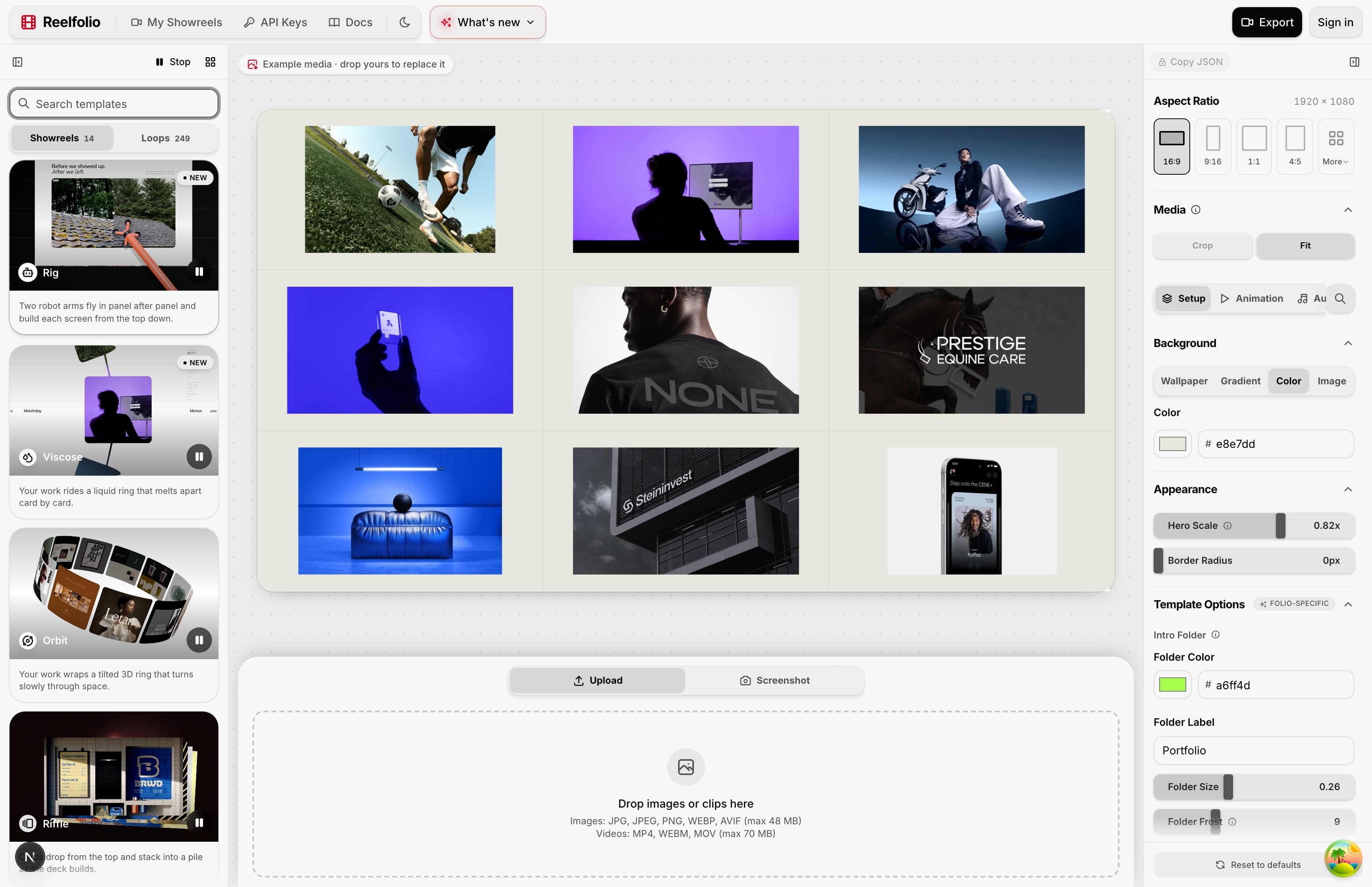
Reelfolio
One job, and the motion is already designed
Every template exists to present design work. Screenshots, mockups, screen recordings. The motion is authored per template, the way a motion designer would build it, with real easing and choreography rather than per-element entrance effects. You drop your media in and the reel assembles itself.
And because the templates all share your media, trying a different direction is one click, not another evening of dragging clips around a timeline.
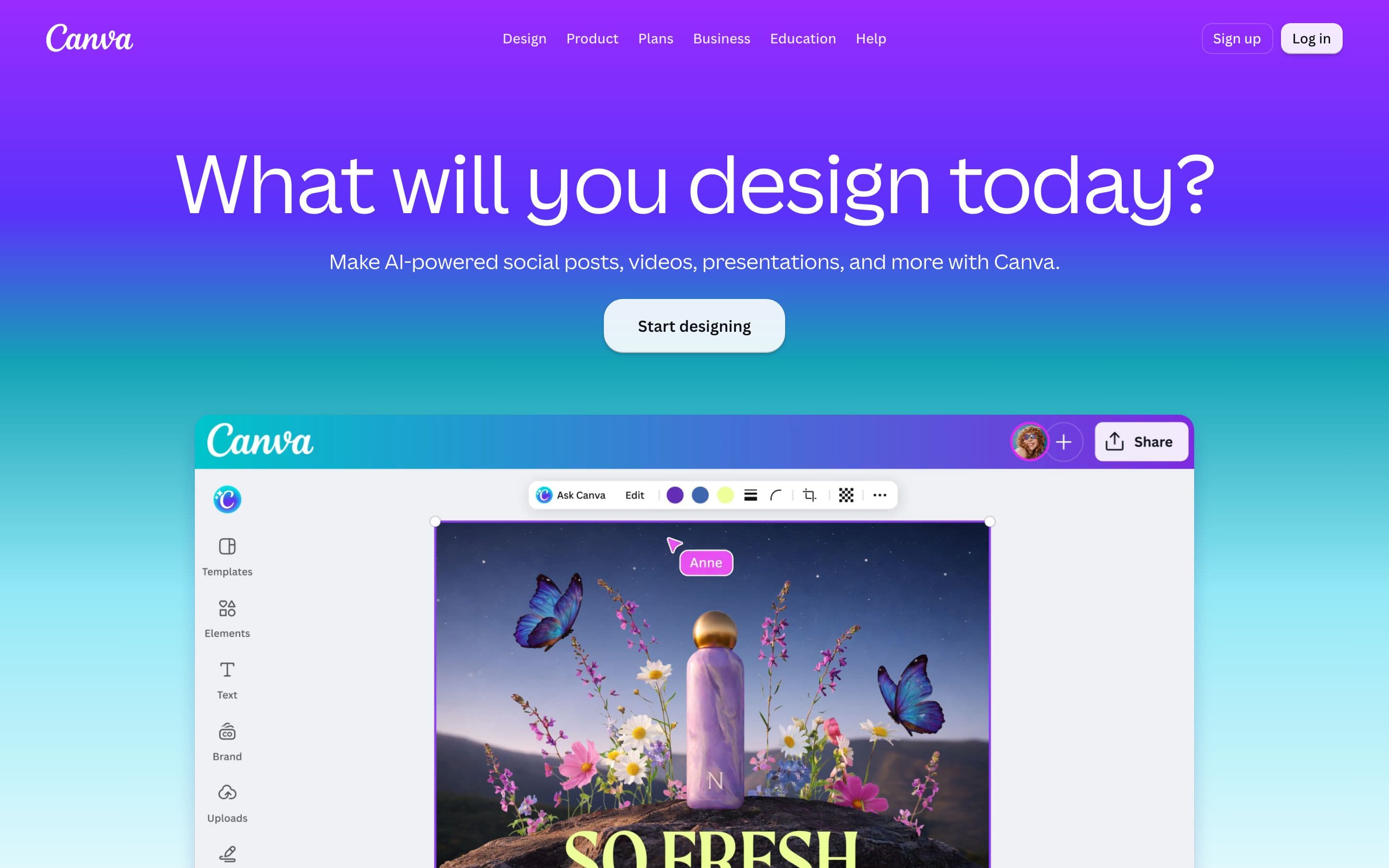
Canva
Video is the side feature, and it shows
Canva's video editor is useful for what it was built for. Stitching a quick promo, adding text over a clip, resizing a post into a story. But push on it and users report elements drifting between edits, layered timelines getting fiddly, and exports that don't quite match the canvas. None of that ruins a birthday montage. It's exactly what you don't want in the reel that represents your work.
The templates are the bigger problem. Canva's video templates target social content in general. Quotes, sales, events, vlogs. Bending one into a portfolio reel means fighting its structure, swapping every placeholder, and hand-timing your screens against animations that were never designed for UI shots.
Where each one wins, and what it costs
Reelfolio
- Purpose-built for design work, all 200+ templates present screens and mockups
- Motion authored per template, so the result reads as designed, not decorated
- A finished reel in under a minute, no timeline to manage
- 4K export in every aspect ratio
- Free to build and preview in the browser, you pay at export
- It only makes reels, so you'll still want something else for statics and decks
- No stock library, it animates your own work rather than stock assets
- No timeline control for hand-editing individual moments
$9/mo
Billed yearly at $108, or $12 month to month. No watermark, ever.
Canva
- One subscription covers everything: posts, decks, docs, print and video
- A huge asset library, over a hundred million photos, graphics and audio tracks
- Near-zero learning curve and excellent team collaboration
- A capable free tier, 1080p video exports without a watermark
- Video is a side feature, and users widely report fiddly, unstable editing
- Templates target generic social content, not portfolios or product showcases
- Animation means canned per-element effects, not designed motion
- 4K export and the premium library sit behind the subscription
~$12/mo
Pro, billed annually. $18 month to month
Who each one is for
Pick Reelfolio if
- The video is about your design work and needs to look designed
- You want the reel done in minutes, not another timeline session
- You need 4K and every aspect ratio with no premium tier above your plan
- You already have design tools and don't need another suite
Pick Canva if
- You need one tool for posts, decks, docs, and occasional video
- Your videos lean on stock assets rather than your own work
- Your whole team collaborates in it already
- A quick promo or montage is the actual job
If the video you have in mind is headed for TikTok, the CapCut comparison is the closer match. And Canva is one of five common answers here, so the roundup of tools for a design portfolio video ranks it against Jitter, After Effects and CapCut too.
“Simple to use, incredibly efficient, and perfect for turning our design work into engaging presentations and showcase videos.”

Ketan Pandey
@ketandesign
“Reelfolio is insanely good. Every detail feels sharp and thoughtfully crafted.”

Irsyad
@irsyad
They're not really rivals
Keep Canva for the everything. It's genuinely good at the everything, and nothing here is an argument for cancelling it.
Just stop spending evenings bending a quote-post template into a portfolio reel. That's the one job it wasn't built for, and it's the one job that decides whether someone hires you.
Frequently asked questions
Read more
See all posts
ComparisonsUpdated AUG 27, 20266 min
Reelfolio vs CapCut: the right way to put design work on TikTok
CapCut is built for creators cutting footage. Reelfolio is built for designers showing work. Comparison table, the 2026 price rise, and an honest verdict inside.
ToolsUpdated AUG 27, 20264 min
The best tools for animated mockups (the apps I actually use)
Four tools I use to turn flat screenshots into product videos: 3D device scenes, framed shots, custom motion, and a full showreel.

ShowreelsUpdated AUG 27, 20265 min
Nine ways to animate your portfolio reel, and when to use each
Nine of Reelfolio’s animation styles, what each one does to your work, and the kind of portfolio it suits.
Pick a template. Watch it run.
Preview the motion, then send your screenshots to Reelfolio and ship the reel in about a minute.