

Reelfolio vs MockRocket: which makes your mockup video?
ComparisonsNOV 14, 20266 min
MockRocket and Reelfolio both turn screenshots into a video you can post. MockRocket puts your app on a 3D phone or laptop and lets you direct the camera. Reelfolio is a mockup video maker that takes a whole folder of screens and gives you a finished reel. I keep MockRocket open for one kind of shot, so this covers where it is the better pick too.
How we compared them
Both tools export a 4K video from the browser, so resolution does not decide it. These five questions do, and two of them go to MockRocket.
- 01
What the video shows
One app on a device is a different job from a reel of fifteen screens. Each tool is built for one of them.
- 02
Who makes the motion
A keyframe timeline gives you every camera move, and asks you to design each one.
- 03
What you can export without paying
A watermarked file is enough to test a tool on real work. No file at all is not.
- 04
File types
A transparent clip or a PNG sequence matters if the mockup goes into a bigger edit.
- 05
Cost and licence
One payment or a plan, and what the licence says about client work.
Reelfolio vs MockRocket at a glance
| Reelfolio | MockRocket | |
|---|---|---|
| What it is | Showreel maker with a mockup studio, in the browser | 3D device mockup generator for animations and stills, in the browser |
| Best for | Many screens in one reel, or a site scrolling on a device | One app on a 3D device, with camera moves you direct |
| How the motion is made | You pick a template or a camera move, the animation is already made | Templates to start from, then a keyframe timeline and camera control |
| Reel templates for a set of screens | 200+ templates | Its templates are 3D device scenes |
| Keyframe your own camera moves | Camera moves are presets | Keyframe timeline, camera, depth of field |
| Export without paying | Editing is free, exporting needs a plan | Unlimited exports, with a watermark |
| Max export quality | 4K | 4K |
| File types | MP4, WebM and PNG stills | PNG, MP4, WebM and PNG sequence, with transparency |
| Figma plugin | ||
| Price | $12/month, or $9/month billed yearly | Free with a watermark. Pro about $59 once, per user |
What each tool actually is
Reelfolio
A reel from a folder of screens
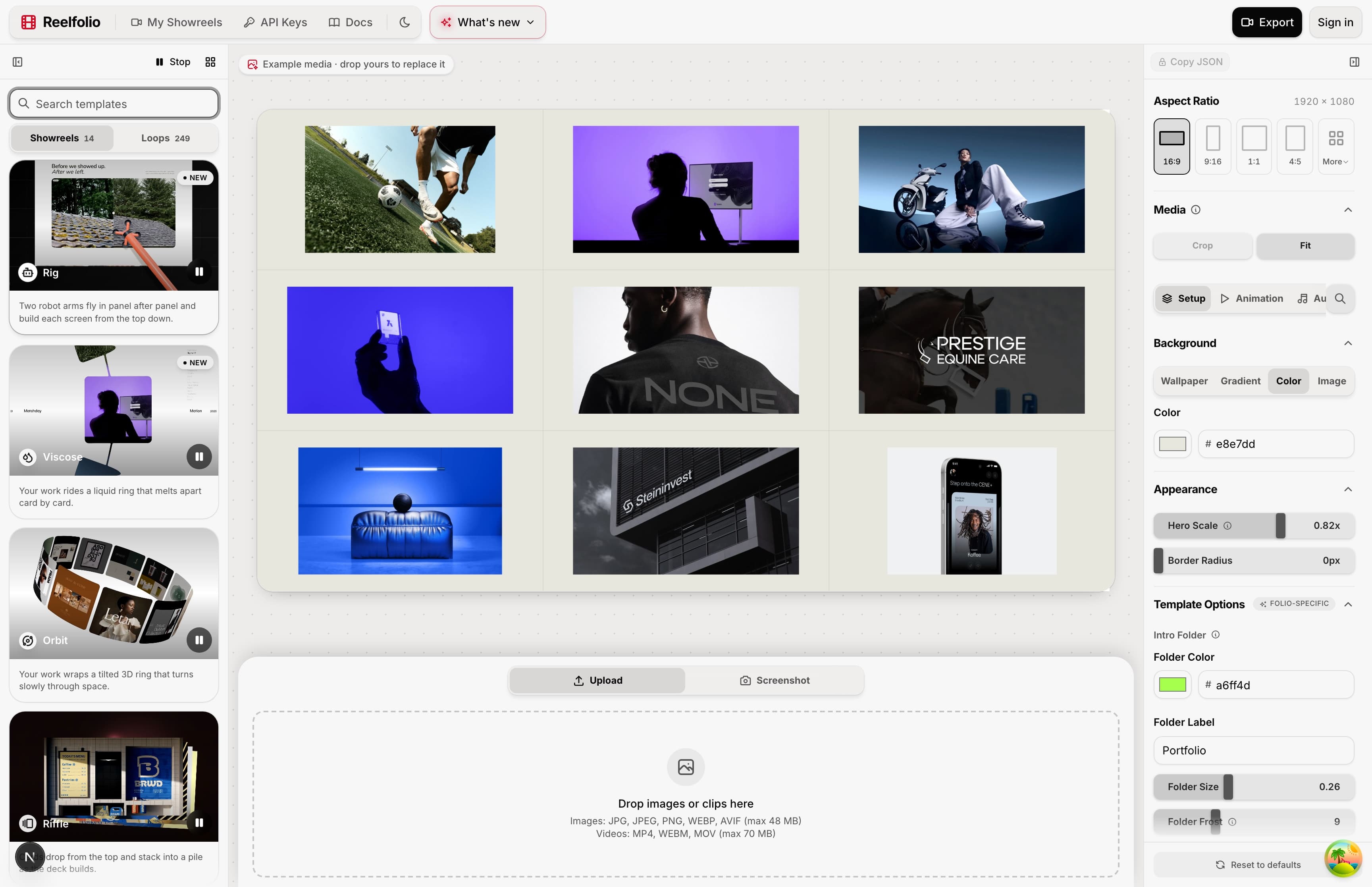
You drop in screenshots, mockups or short clips and pick one of 200+ templates. The timing, the transitions and the layout are already made. You change the background, the speed and the aspect ratio, then export up to 4K.
The mockup studio is the part closest to MockRocket. Paste a link, and your site loads on a phone, tablet, laptop or display inside one of more than 30 photo scenes, then scrolls by itself. Capturing a mockup needs Chrome or Edge on a desktop.
MockRocket
A 3D device you direct
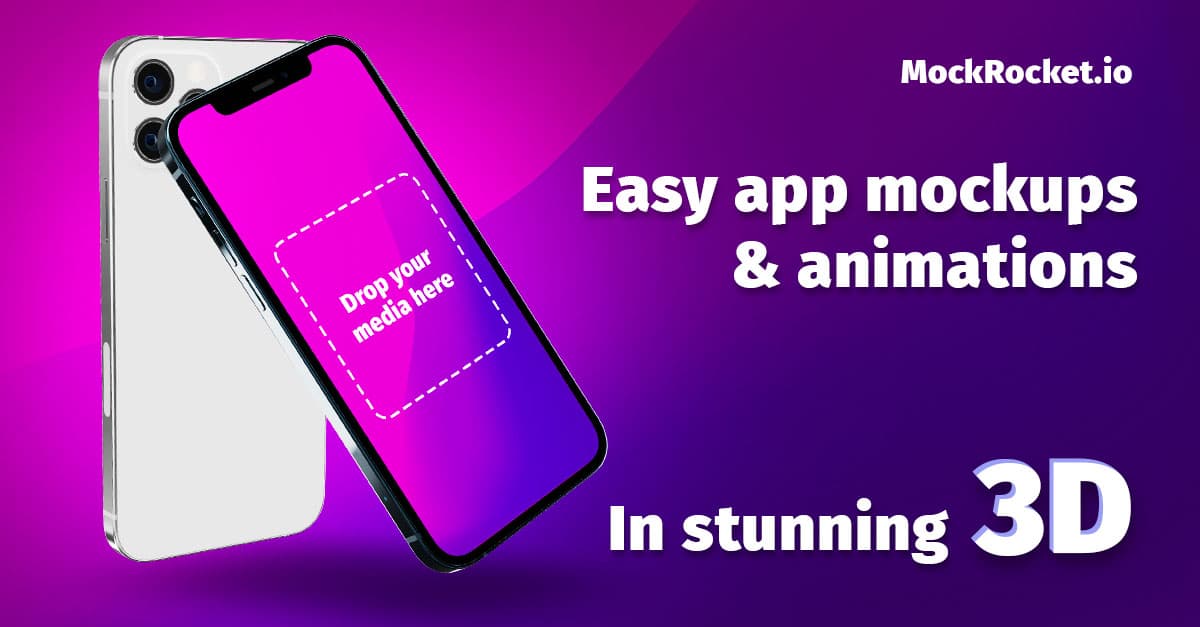
MockRocket is a 3D device mockup generator that runs in the browser. You drop a screenshot onto a device, start from a template, and export a still or an animation. Its site lists a keyframe timeline, camera control, depth of field blur, lighting and reflections, shadows, a clay mode, custom device colors and control of several devices in one scene.
It renders in your browser with WebGL, up to 4K, and MockRocket says your designs are never uploaded to its servers. It runs on Mac and Windows in Chrome or Edge. There is a Figma plugin too.
Where each one wins, and what it costs
Reelfolio
- Takes a whole folder of screens and returns one finished reel
- 200+ templates, and switching between them keeps your media in place
- Paste a link and your site scrolls on a device in a photo scene
- Free to edit and preview with no account
- No free export, not even a watermarked one
- Costs more: $108 a year against about $59 once
- Camera moves are presets, you cannot keyframe your own
- No Figma plugin, no PNG sequence export
$9/mo
Billed yearly at $108, or $12 month to month. No watermark on exports.
MockRocket
- Real 3D with a keyframe timeline, camera control and depth of field
- Unlimited free exports if you accept a watermark
- PNG sequence and transparent exports for use in a bigger edit
- Renders in the browser, and says designs are never uploaded
- Free exports carry a watermark, images and videos alike
- New features and devices stop after one year unless you pay again
- One licence is one user on one computer at a time
- Freelancers and agencies selling the work to clients need an extended licence
~$59 once
Pro, per user. Listed as a limited time offer. Updates for one year
Who each one is for
Pick Reelfolio if
- You have ten or twenty screens and want them in one video
- You want a site scrolling on a laptop or phone without recording your screen
- You would rather pick finished motion than design it
- You need 16:9, 9:16 and 1:1 versions of the same reel
Pick MockRocket if
- The shot is one app on one device, and the camera move matters
- You want to pay once, about $59, and not hold a plan
- You need a transparent clip or a PNG sequence for another editor
- You work in Figma and want the mockup made from there
MockRocket is also one of the four apps in my roundup of tools for animated mockups. If your mockup is a phone screen recording, the comparison with MockupReel is the closer match.
“Simple to use, incredibly efficient, and perfect for turning our design work into engaging presentations and showcase videos.”

Ketan Pandey
@ketandesign
“Reelfolio makes it effortless to turn our thousands of screenshots into clean, engaging X videos. I used to do this manually with Screenstudio, but Reelfolio is dramatically faster and simpler.”

Rob Austin
@ausrobdev
Use MockRocket for the hero shot
If your launch needs one phone turning in space with the camera landing where you want it, MockRocket does that better than Reelfolio, and you can test it for free with a watermark.
If you have a folder of screens and a deadline, start in Reelfolio. You can edit the whole reel before you pay, so you will know if it fits before it costs anything.
Frequently asked questions
Read more
See all posts
ComparisonsNOV 14, 20266 min
Reelfolio vs MockupReel: a phone mockup or a full reel?
MockupReel frames one screen recording in a phone, free. Reelfolio turns many screens into one reel. A comparison table, pros and cons, and a verdict.

ToolsNOV 14, 20266 min
How to Turn Screenshots Into a Video (3 Ways)
Three ways to turn screenshots into an MP4: a template tool, a screen recorder, or a video editor. What each is good for, and where each falls short.

ShowreelsNOV 14, 20266 min
How to Make a Portfolio Reel (With Examples)
What to put in a portfolio reel, how long it should be, how to order it, and how to make one from screenshots and clips without a video editor.
Pick a template. Watch it run.
Preview the motion, then send your screenshots to Reelfolio and ship the reel in about a minute.